AERONET Instrument Troubleshooting Interface - Solutions for CIMEL CLOCK SHIFT Flag
Description The Cimel control box maintains an internal clock that timestamps each measurement. If this clock drifts by more than one minute from true UTC, the AERONET processing software will detect a time offset when comparing received data against the expected solar geometry. On older models this drift is typically caused by a failing internal battery; on the Model T, GPS synchronization normally prevents it.
Condition(s) Flag if > 1 minute, list the date when it happened for the last time
How To Check/Test Models 4 and 5: PW: 1 > DAT Model T: DATE
Solution Level 1 (< 5 minutes) Models 4 and 5: Correct clock to exact UTC time (set forward by 1 minute, then press OK as the master UTC clock hits :00). See Model 5 Set Cimel Date and Time document or Model 5 Set Cimel Clock video (AVI, MOV) - Instructions on modifying the Cimel control box time (transcript)
Solution Level 2 (more involved) If experiencing recurring clock shifts:
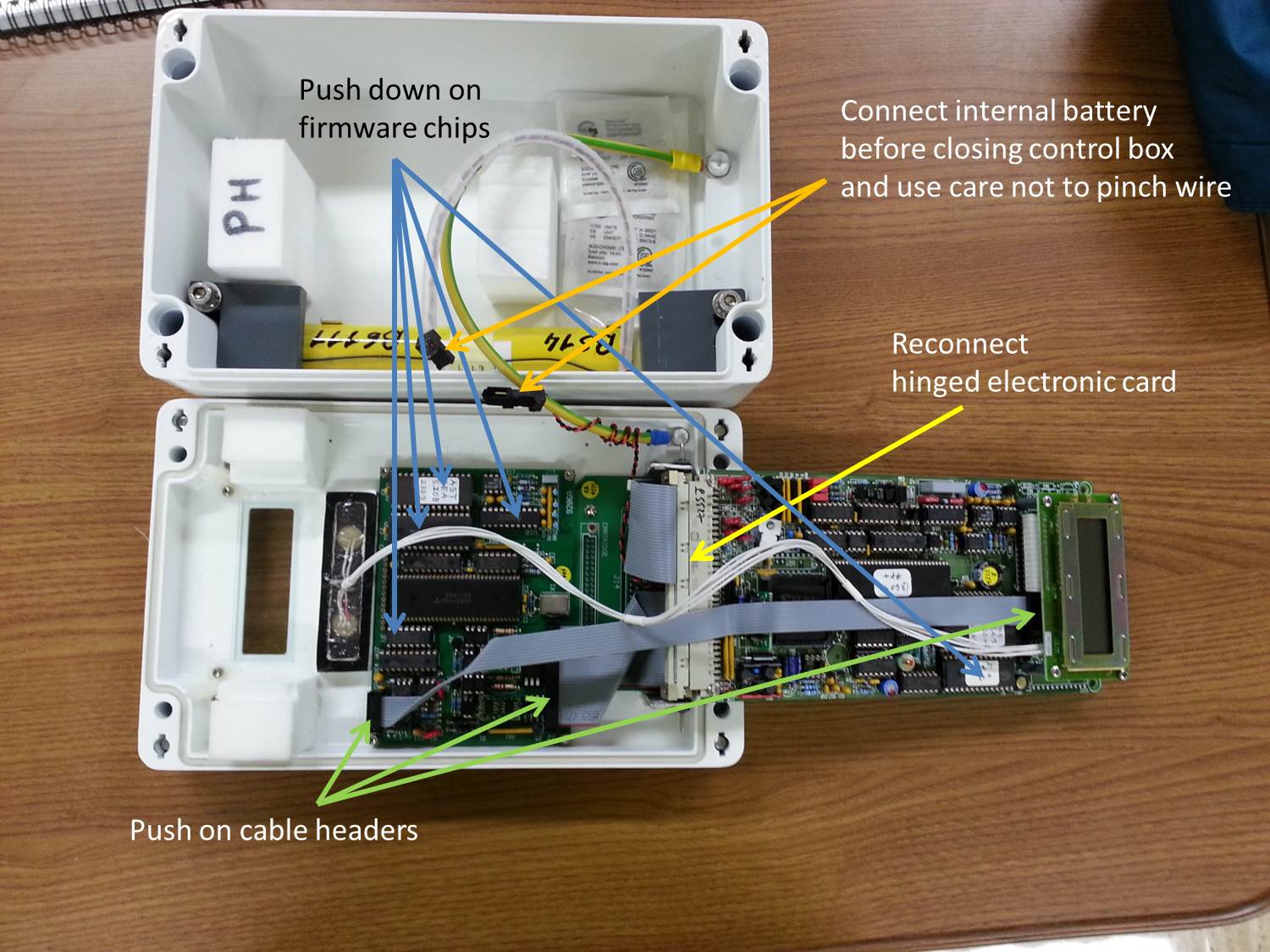
Models 4 and 5: 1. Ensure internal battery voltage is at least 5.0 V (VIEW > BAT - disconnect solar panel before checking). 2. Check/reseat internal connections and internal battery. (See Internal check control box)
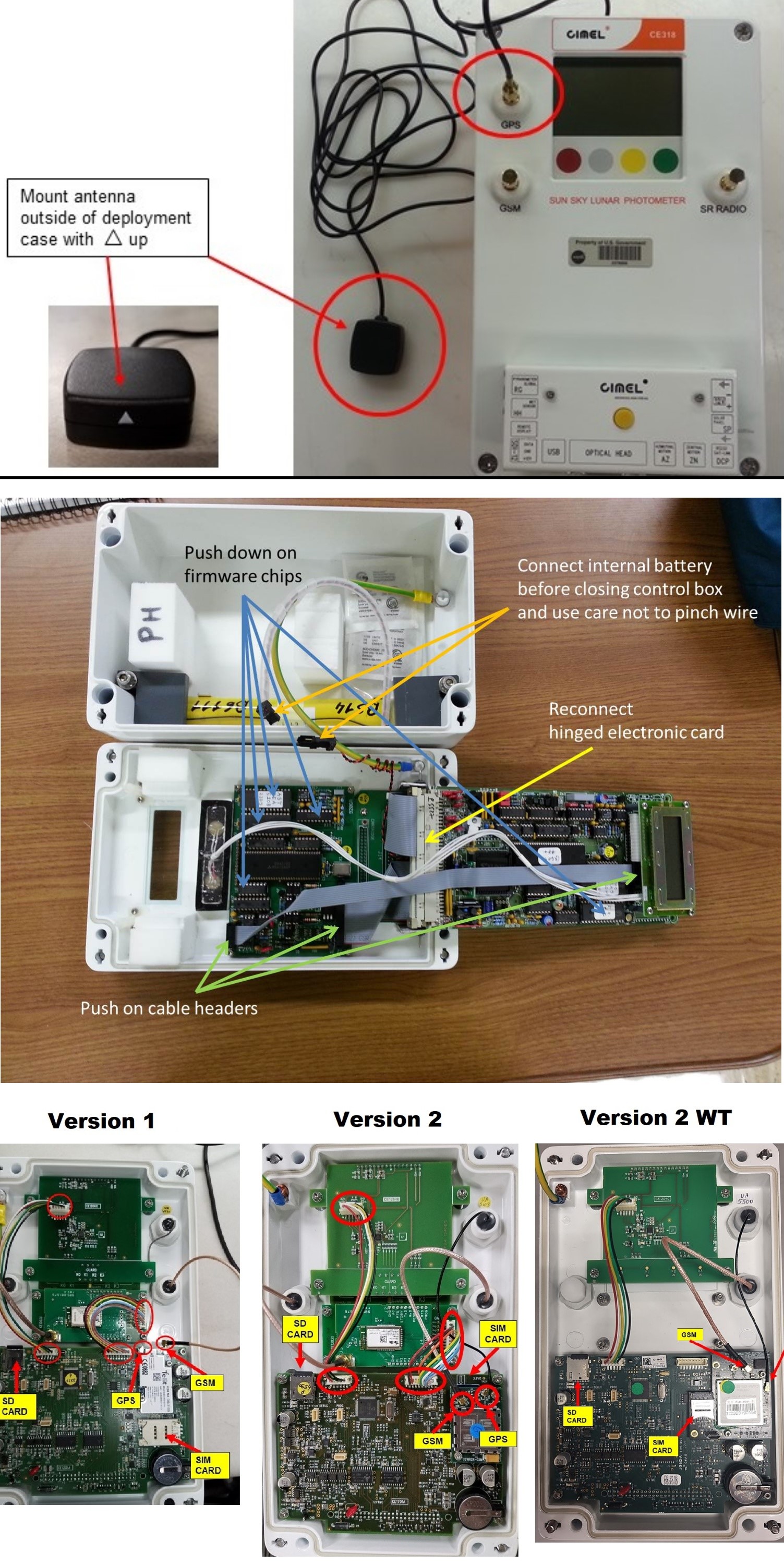
Model T: 1. Ensure GPS coordinates are correct under the "Settings" menu. 2. Check/reseat GPS antenna. (See GPS connection) 3. Run GPS Synchronization. (See Model T GPS Synchronization)
Solution Level 3 (last resort) Models 4 and 5: 1. If on AC power, ensure there are no spikes in AC voltage. Run instrument on battery power only if possible. 2. Return instrument for maintenance.
Model T: 1. With the power disconnected, open the control box and verify the GPS antenna is connected to the board. (See Model T Internal Connections) 2. Replace the GPS antenna. 3. Return instrument for maintenance.